Think of how sensitive files travel today. A password-protected ZIP — with the password in the very next email. An upload portal nobody remembers the login for. A “secure” link that forwards just fine. For payroll files, banking details, HR records and legal drafts, that's not protection — that's a habit.
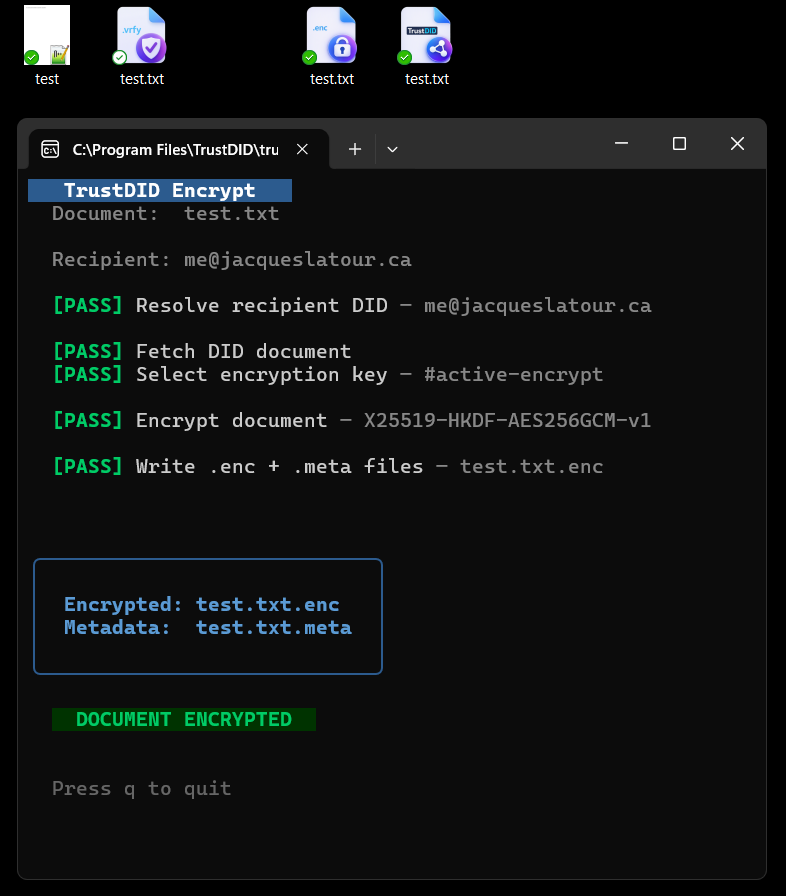
Every TrustDID identity comes with a lock only its owner can open. When you encrypt a document, you simply pick the recipient — and from that moment, the file is gibberish to everyone else on earth. Not to your email provider, not to whoever finds the USB stick, not to a fraudster who got into the mailbox. Only the recipient's own machine holds the key.
Lock it to them
Right-click the file, choose the recipient. That's the whole ceremony.
Send it however you like
Email, file share, USB stick — it doesn't matter who handles it along the way. There is no password to intercept, because there is no password.
They open it. Nobody else can.
On their machine, it opens. On anyone else's, it stays locked — forever.
And it pairs naturally with the seal: seal it so they can prove it's really from you, lock it so only they can read it. Proof and privacy, from the same right-click, on the same identities you already trust.
No middleman, ever
Encryption and decryption happen locally, on your machines. The document is never uploaded anywhere, and no service — including ours — ever holds a copy or a key. What's between you and your recipient stays between you and your recipient.